Hypervisor Host Based CephFS pass through with VirtioFS
Using VirtioFS backed by CephFS for bind mounts
This is currently a work-in-progress documentation - rough notes for me, maybe missing a lot or wrong
The idea is to replace GlusterFS running inside the VM with storage on my cephfs cluster. This is my proxmox cluster and it runs both the storage and is the hypervisor for my docker VMs.
Other possible approaches:
- ceph fuse clien in VM to mount cephFS or CephRBD over IP
- use of ceph docker volume plugin (no useable version of this yet exists but it is being worked on)
Assumptions:
- I already have a working Ceph Cluster - this will not be documented in this gist. See my proxmox gist for a working example.
- this is for proxmox as a hypervisor+ceph cluster and the VMs are hosted on the same proxmox that is the ceph cluster
Workflow
Create a new cephFS on the proxmox cluster
I created one called docker
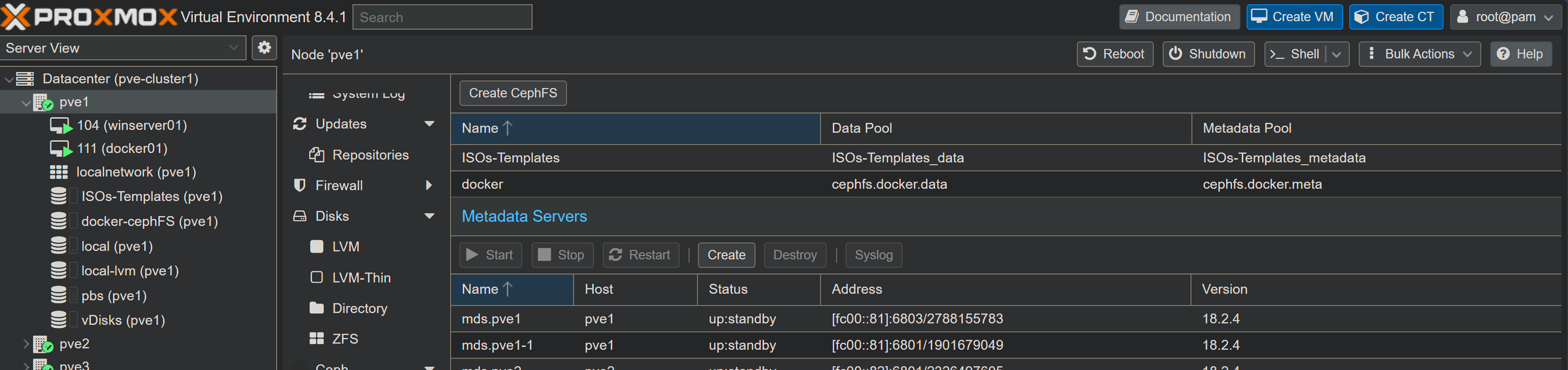
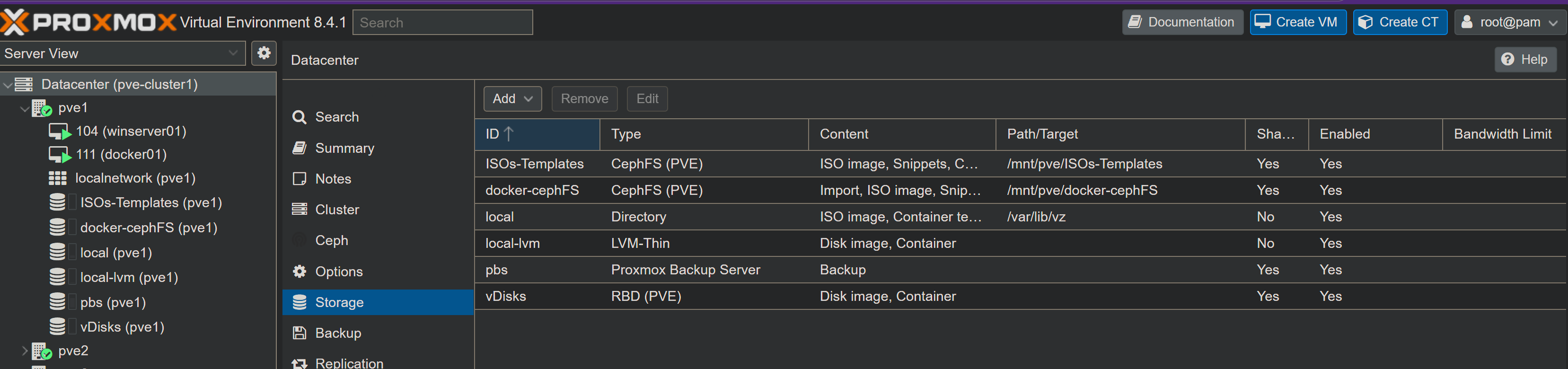
The storage ID is docker-cephFS (i chose this name as I will play with ceph in a varity of other ways too)
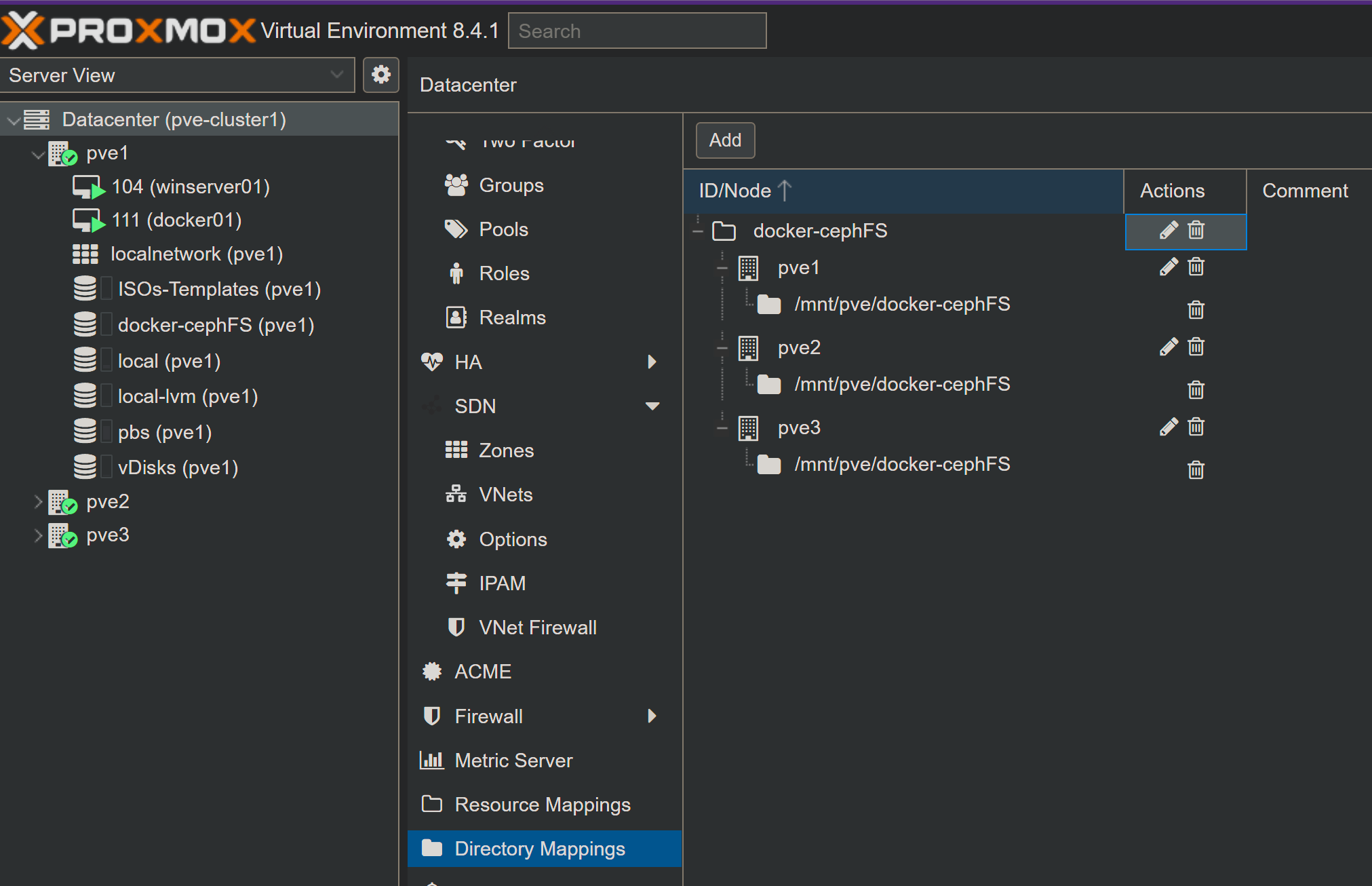
Add this to directory mappings
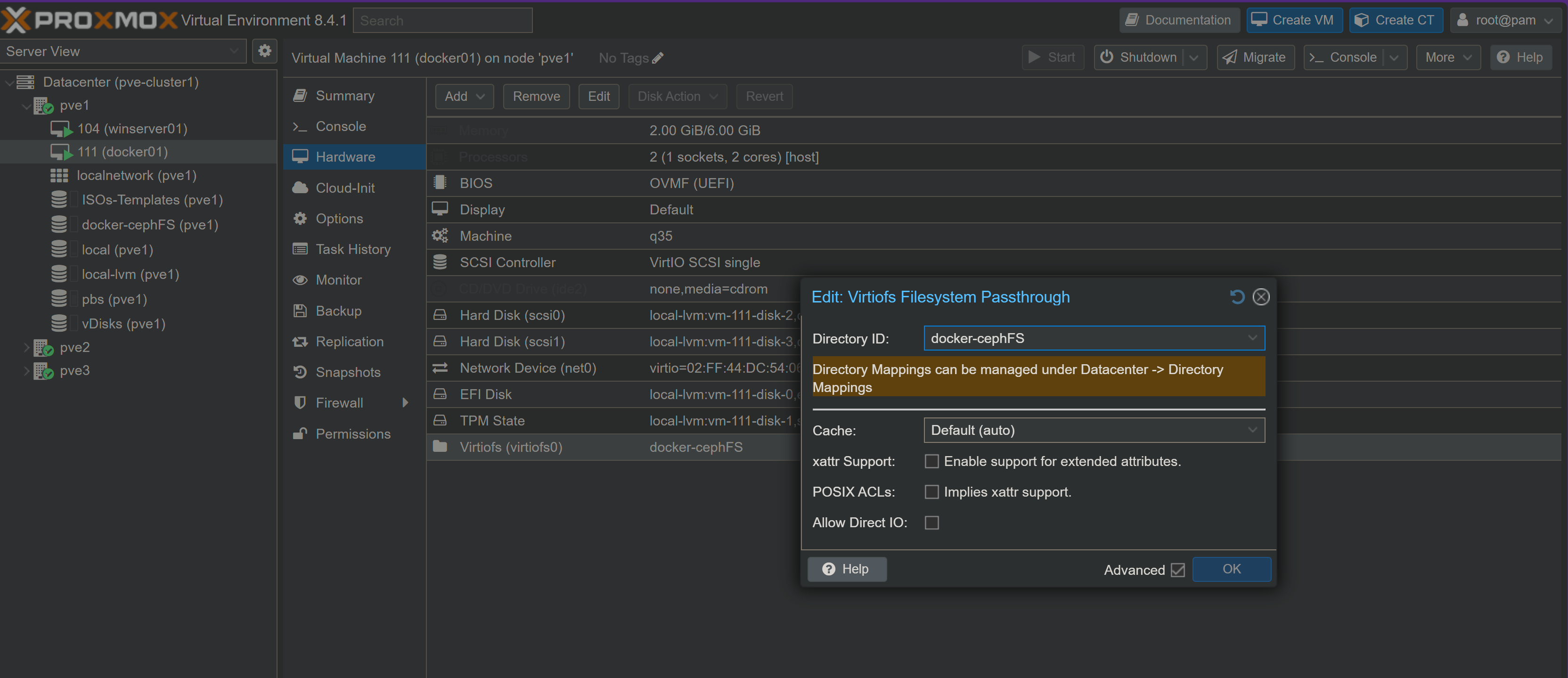
Configure docker host VMs to pass through
the hookscript that stops a docker VM starting without cephFS is on cephFS start guards.
In each VM
In each VM
sudo mkdir /mnt/docker-cephFS/-
sudo nano /etc/fstab-
add
-
save the file
sudo systemctl daemon-reloadsudo mount -a
-
once the data has moved (below), add the check that stops docker starting on a missing or empty mount, see cephFS start guards.
Migrating Docker Swarm Stacks for exising Stack
basically its
- stop the stack
-
mv the data from /mnt/gluster-vol1/dirname to /mnt/docker-cephFS/dirname
-
Edit the stack to change the volume defitions from my gluster defition to a local volume - this mean no editing of the service volme lines
Example from my wordpress stack
to
volumes:
  dbdata:
    driver: local
    driver_opts:
      type: none
      device: "/mnt/docker-cephFS/wordpress_dbdata"
      o: bind

  www:
    driver: local
    driver_opts:
      type: none
      device: "/mnt/docker-cephFS/wordpress_www"
      o: bind
- triple check everything
- restart the stack
if you get an error about the volumen already being defined you may need to delete the old volume defition by had - thi can easily be done in portainer or using the docker volume command
Update as of 2026.09.24: check each moved volume really is the cephFS bind, see troubleshooting.
Backup
havent figured out an ideal strategy for backing up the cephFS on the host or from the vm - with glsuter the bricks were stored on a dedicated vdisk - this was backed up as part of the pbs backup of the vm
Update as of 2026.09.24: the cephFS is backed up hourly to PBS now, see cephFS backups.
As the virtioFS is not presented as a disk this doesn't happen (this is reasonable as the cephFS is not VM specific)
This page started as a gist: the original, with its comments